SwapOne
For PSPs, gateways and sub-acquirers

One account for your payments operation

Pix, card, Swift, SEPA and stablecoins with an API, webhooks and a dashboard for MEDs (Pix Special Return Mechanism), chargebacks and the ACAM report to the Central Bank of Brazil.

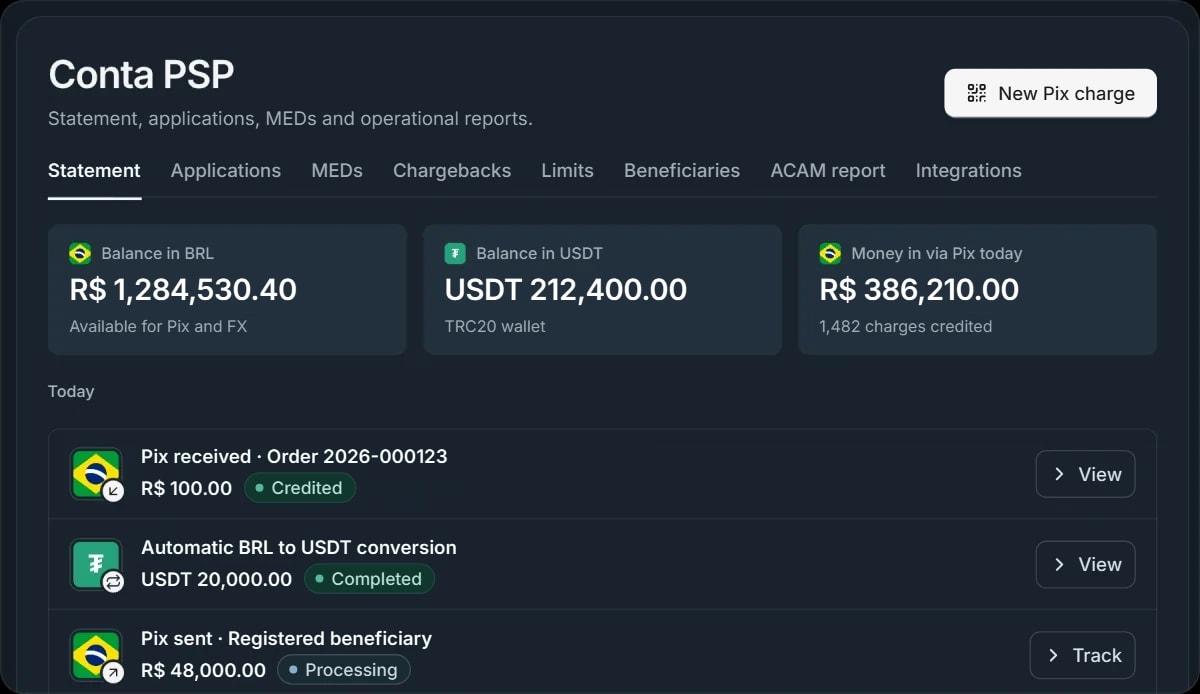
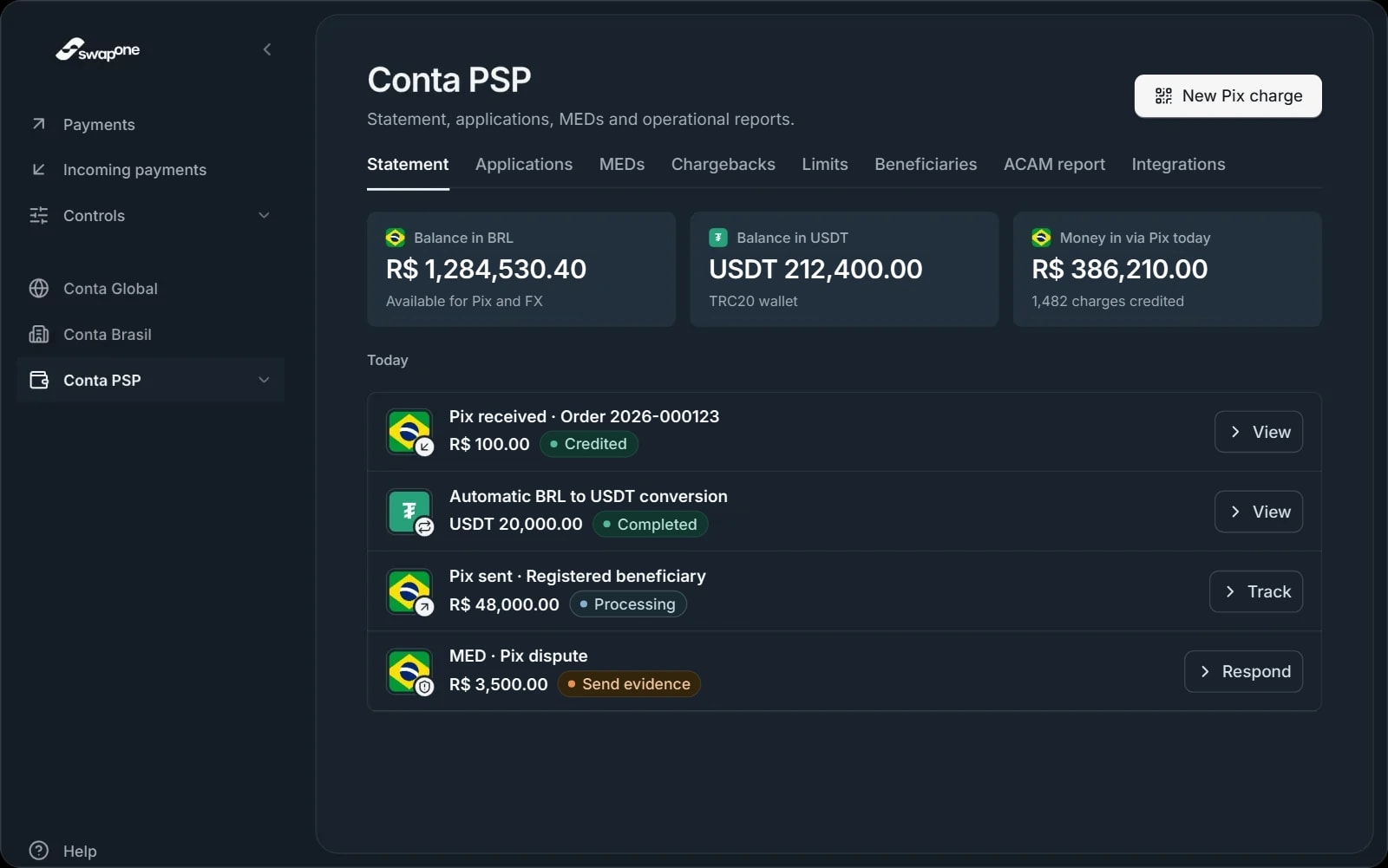
Conta PSP dashboard in the SwapOne app, Statement tab: a balance of R$ 1,284,530.40 in reais, USDT 212,400.00 in the TRC20 wallet and today's transactions, with a Pix received, an automatic conversion to USDT, a Pix sent and a MED awaiting evidence.
The SwapOne swallow perched on the edge of the dashboard
Flag of BrazilTether (USDT) symbol
Merchant products

Each merchant turns on only the rails it uses

You enable products for each merchant during onboarding. Money in and money out land on the same Conta PSP statement.

Pix

Brazil's instant payment system: QR Code charges with payer lock, payouts to a Pix key or bank account, and native refunds through the same API.

POST /pix/deposit-qrOrder 2026-000123 · R$ 100.00
Payer lockCredited
  • QR Code
  • Pix copy and paste
  • Refund

Card Collection

Card collection for the merchant, with chargebacks tracked in the dashboard.

  • Card
  • Chargebacks

Swift In and Out

Money in and out by Swift international transfer, with the FX booked in the account.

  • USD
  • EUR
  • GBP

SEPA In and Out

Receive and send euros within the SEPA zone, settled together with your operation's balance.

  • EUR
  • SEPA

Stablecoin In and Out

Buy and sell USDT and USDC, with TRC20 and ERC20 wallets and automatic balance conversion.

  • USDT
  • USDC
  • TRC20
  • ERC20
SwapOne API · REST, Swagger and OpenAPI

Charge, pay and convert in just a few calls

One base URL, key-based authentication and webhook events. Whatever the dashboard does, your platform can do through the API.

View the API docs
# Create a Pix charge with payer lock
curl -X POST \
  https://sistema.swapone.global
  /api/v1/pix/deposit-qr \
  -H "Authorization: Bearer
     $SWAPONE_API_KEY" \
  -H "Content-Type: application/json" \
  -d '{
    "amount": 100,
    "payerDocument": "45033542800",
    "description": "Pedido 2026-000123",
    "externalId": "order-2026-000123"
  }'
 
# 200 response
{ "emv": "000201010212...",
  "operationId": "a0cddf6b-..." }
Authorization: Bearer sk_live_<prefix>_<secret>
Webhook deliveredPOST /webhooks/swapone200 OK
"event": "pix_in.credited""externalId": "order-2026-000123""amount": 100"status": "credited"

X-SwapOne-Signature · HMAC SHA-256

Endpoint groups

Account and balance
GET /balance
Pix
POST /pix/deposit-qr
USDT and USDC exchange
POST /exchange/start
TRC20 and ERC20 wallets
GET /wallets/digital
Automatic conversion
/settings/auto-exchange
Transactions
GET /transactions
ACAM
GET /acam/transactions
  • Scoped API keys

    Create and revoke keys in the dashboard. Each key carries only the scopes it needs: read, Pix, exchange, wallets or settings.

  • Signed webhooks

    Events such as pix_in.credited and pix_out.completed arrive with an HMAC signature for you to verify before processing.

  • Swagger and OpenAPI

    The full specification is published so you can generate clients and test every call before going to production.

    Open the OpenAPI specification
Operations in the dashboard

Day-to-day operations, without a spreadsheet on the side

Disputes, limits, beneficiaries and the Central Bank report all live in the same Conta PSP that receives the money.

  • MEDsDisputed Pix refunds, with deadline, evidence and response.
  • ChargebacksCard disputes by merchant, from notification to decision.
  • Operating limitsLimits by product and by period, visible before every transaction.
  • BeneficiariesRegister who gets paid. We approve within 24 business hours.
  • ACAM reportTransactions organized for reporting to the Central Bank.
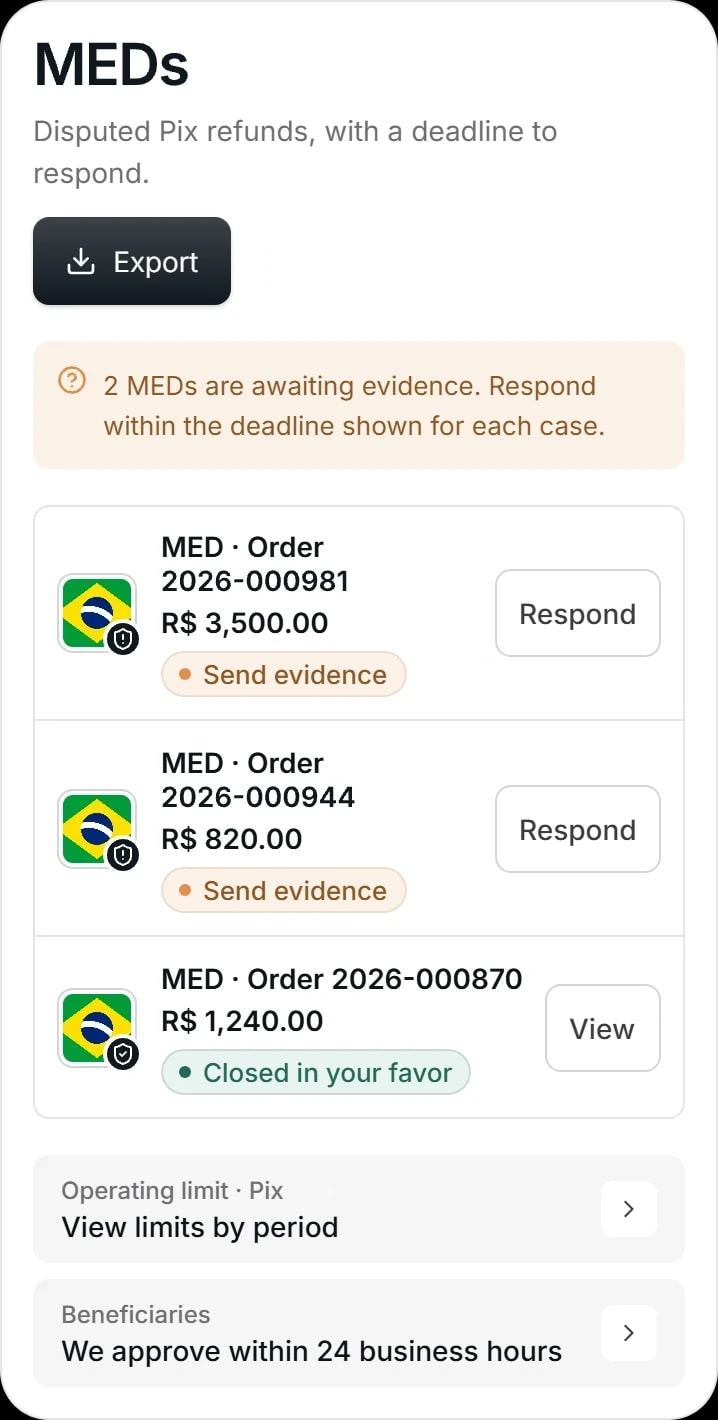
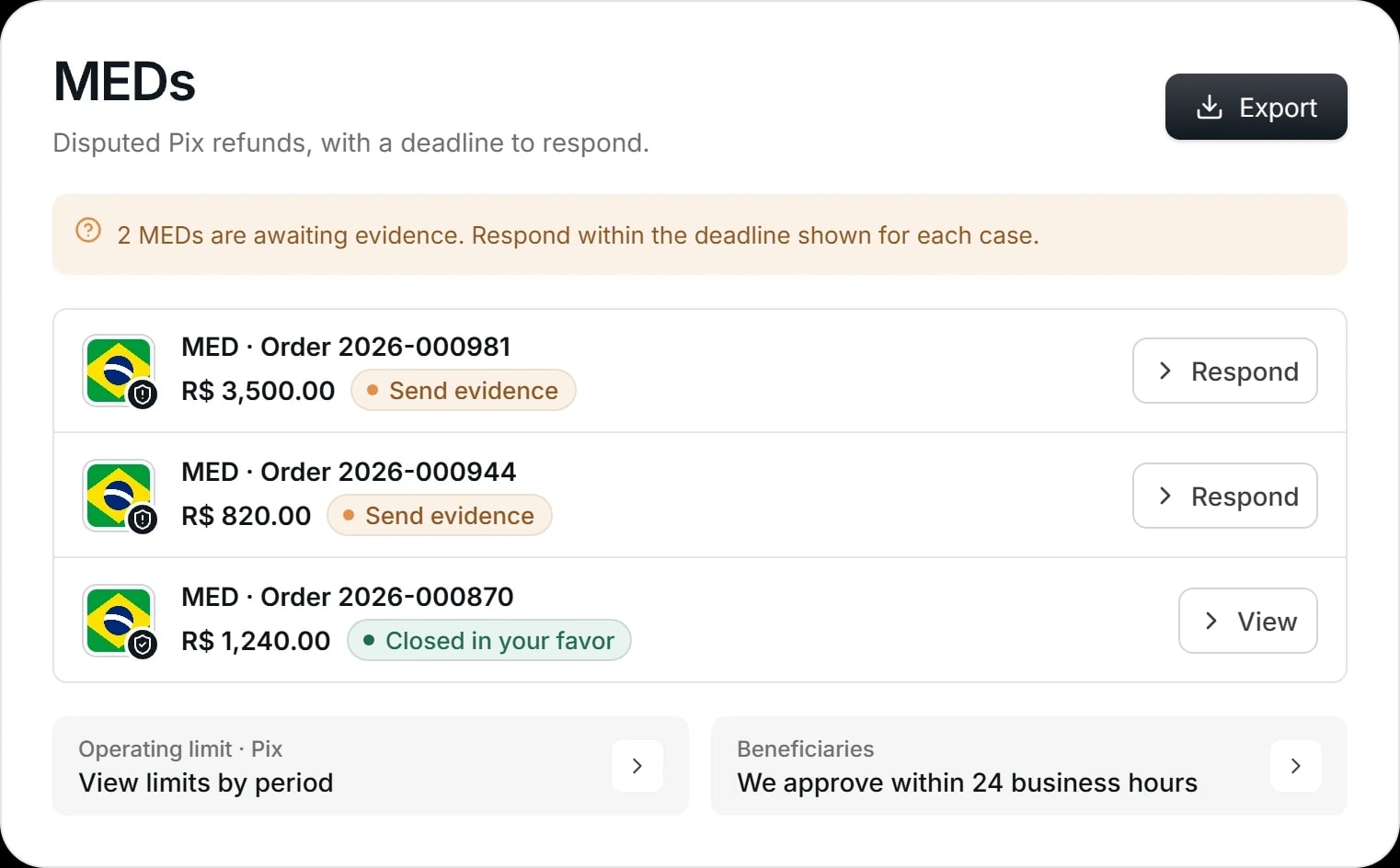
MEDs screen in the Conta PSP dashboard: a notice of 2 MEDs awaiting evidence and a list with orders 2026-000981 for R$ 3,500.00 and 2026-000944 for R$ 820.00, both waiting for evidence to be sent, and 2026-000870 for R$ 1,240.00, closed in your favor.
Merchant onboarding

You can see which step each application is at

Every merchant goes through the same four steps, and the status is visible in the dashboard's Applications tab.

  1. 01

    Application submitted

    Company details, owners and the products the merchant will use.

  2. 02

    Under review

    The compliance team checks the documents and the operating model.

    Current status
  3. 03

    Additional documents

    If anything is missing, the request appears in the dashboard with what to send.

  4. 04

    Decision

    Once approved, the merchant gets its products enabled and its limits set.

If an application needs anything, a notice appears under Applications with what's still missing.

Review time: to be confirmed

Security and regulation

Regulated in Brazil and Canada

Your operation's money flows through a regulated institution, and API access works only with keys you control.

The SwapOne swallow perched on a small white globe, against a light gray background.
  • Foreign exchange correspondent · Brazil

    Braza Bank S.A. Banco de Câmbio

    SwapOne acts as a foreign exchange correspondent (correspondente cambial) of Braza Bank, which is regulated by the Central Bank of Brazil (Banco Central do Brasil).

  • Regulated entity · Canada

    SwapOne Payments Ltd.

    Registered with FINTRAC, Canada's financial intelligence authority.

  • Central Bank reporting

    ACAM report

    Conta PSP transactions are kept organized for the reporting required by the Central Bank.

  • API access

    Scoped keys and signed webhooks

    Every key can be revoked in the dashboard, and every event arrives with an HMAC SHA-256 signature.

  • Pix with payer lock

    The charge only accepts the designated payer

    The charge's QR Code checks the payer's tax ID before crediting.

Help

Frequently asked questions

We also answer technical questions about the integration through the team's channel.

Companies that process payments, such as PSPs, gateways and sub-acquirers. The account is activated after onboarding and the compliance review.

Still need help? Talk to us

We only provide support through our official channels. We never ask for passwords or codes by message.

Connect your operation to SwapOne

Tell us your volume and the products you need. The team replies with your onboarding path and access to the documentation.

The SwapOne swallow perched on the terminal
$ curl \
  https://sistema.swapone.global/api/v1/me
  -H "Authorization: Bearer
     $SWAPONE_API_KEY"
# 200 OK · valid key
API key active